MolDraw online: free chemical structure drawing in your browser
Draw molecules and reaction schemes online, free, with nothing to install. LabCanvas MolDraw: atoms, bonds, rings and charges, reaction arrows, structures from PubChem, SMILES, a 3D view of the same molecule, and placing structures in figures.
Contents
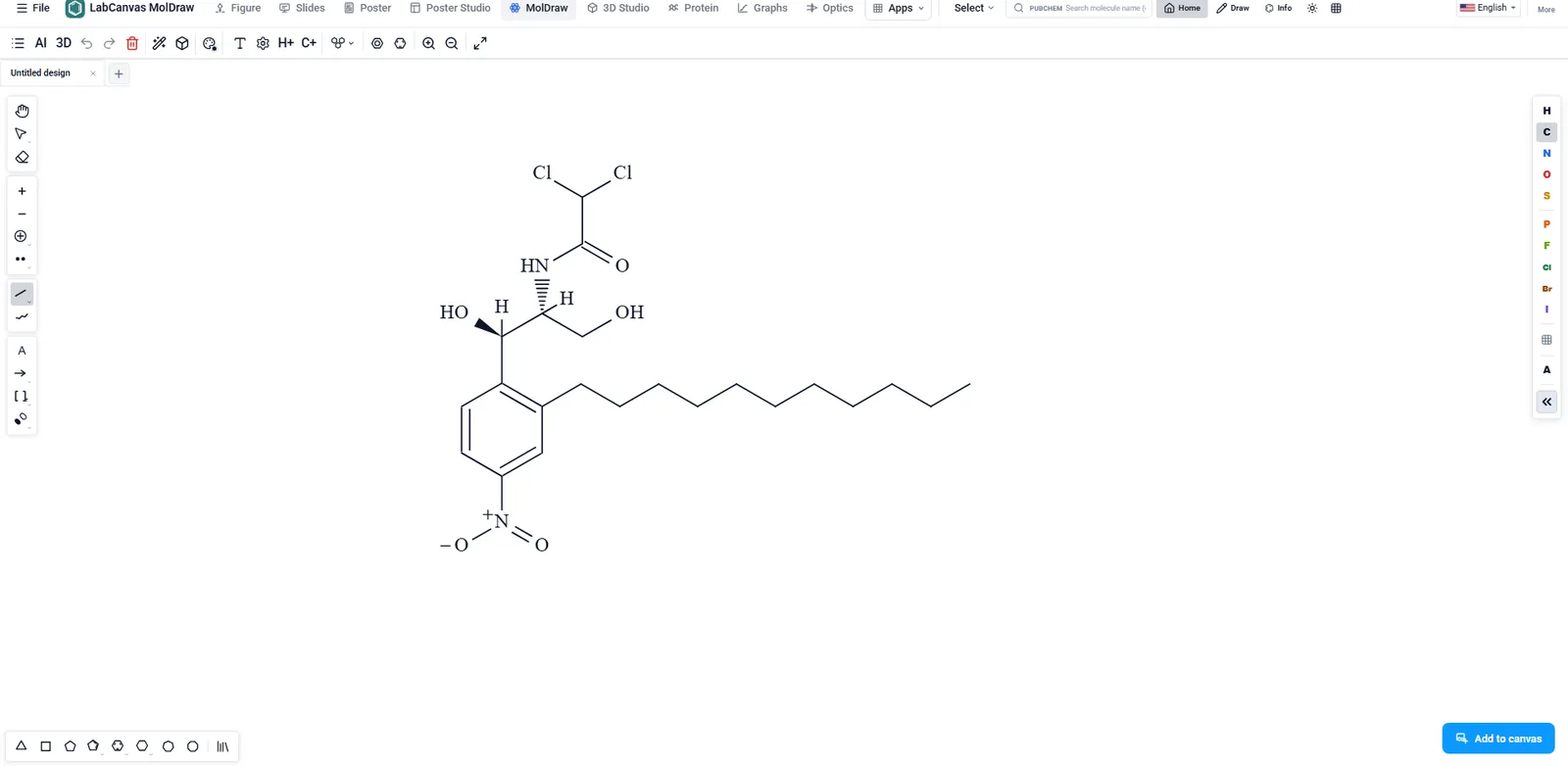
MolDraw is the chemical drawing app of LabCanvas. Draw molecules with atoms, bonds, rings and charges, write reaction schemes with arrows and conditions, start from any compound on PubChem, and turn the same structure in 3D. Structures go into LabCanvas figures, slides and posters as editable vectors.
What MolDraw is for
- Skeletal structures for papers and theses, with wedge and hash stereo bonds.
- Reaction schemes with arrows, reagents and conditions.
- Structures for figures and graphical abstracts, placed next to science objects and graphs.
- Checking a structure in 3D before you put it in a figure.
Drawing tools
| Tool | What it does |
|---|---|
| Atoms and bonds | Click to add, drag to draw a chain; single, double, triple, wedge and hash bonds |
| Rings and groups | Benzene and other rings, common groups from templates |
| Charges and labels | Formal charges, lone pairs and atom labels |
| Reaction arrows | Forward, equilibrium and retrosynthesis arrows with text above and below |
| SMILES bar | Shows the SMILES of the drawing; paste SMILES to draw it |
| 3D view | The same molecule as a 3D model |
How to draw a structure and use it in a figure
- Open MolDraw, or open it from the Figure editor.
- Search PubChem by name to start from a known compound, or draw from scratch.
- Clean up the layout, then add charges, stereo bonds and labels.
- Turn on the 3D view to check the shape.
- Place it in your figure, where it stays editable.
Molecules in the rest of LabCanvas
The Figure editor’s Library has an Online tab that searches PubChem and places compounds as 2D structures or 3D ball-and-stick drawings. The 3D Studio renders molecules, crystals and proteins, and the Protein viewer shows PDB entries.
Frequently asked questions
Is MolDraw a ChemDraw alternative?
MolDraw covers the everyday drawing jobs: skeletal structures, rings, charges, stereo bonds and reaction schemes, in the browser and free to start. Structures go straight into LabCanvas figures, slides and posters.
Can I start from an existing compound?
Yes. Search PubChem by name and the structure opens ready to edit. The figure editor’s Library can also place any PubChem compound directly.
Does MolDraw read SMILES?
Yes. The SMILES bar shows the SMILES of what you draw, and you can paste SMILES to get the structure.
Can I see the molecule in 3D?
Yes. The 3D view shows the same molecule as a 3D model; for rendered pictures, open molecules in the 3D Studio.
How do I put a structure in my figure?
Inside the Figure editor, MolDraw opens as a window over the canvas; when you finish, the structure is placed in the figure as an editable vector object.
Try it in LabCanvas
Every app is free to start in your browser. Create an account and begin.
Start MolDraw free in your browserKeep reading
ImageJ vs LabCanvas Image Analysis: an honest comparison
ImageJ/Fiji or LabCanvas Image Analysis? Six everyday jobs done in both, six newer ones (macros, vendor files, 3D, StarDist, big images) and which to use.
LabCanvas Image Analysis: measure microscopy images, western blots and gels in your browser
How to measure images in LabCanvas Image Analysis: guided assays (nuclear translocation, spots per cell, wound healing, FRAP, calcium, tracking, branching), western blots with a ladder and total-protein normalisation, cell counting with a trainable classifier, ROIs with ImageJ definitions, on the raw pixel values, with results sent to Graphs.
Image Analysis in LabCanvas: a complete guide to every tool and setting, with examples
Every tool in LabCanvas Image Analysis, tab by tab, with its settings and a real example: image check, display and scale, stacks and Z projection, background subtraction, filters, thresholds and binary operations, ROIs and Set measurements, Analyze Particles, a pixel classifier, spots, cell counter, western blot densitometry, colocalisation, colour deconvolution and eleven guided assays.